
Ethereum: Stake
Delegate ETH through the Earn Widget and start earning rewards.
The Ethereum Stake Flow lets users delegate ETH from their connected Ethereum wallet to an Ethereum vault to start earning rewards via the Earn Widget.
Prerequisites
- User has a supported Ethereum wallet connected to the widget (for example, browser extension).
- Wallet holds sufficient ETH to cover:
- The amount they want to stake.
- Network fees for the staking transaction.
High-Level Steps
Follow these steps to stake your ETH with the Earn Widget.
- Connect your wallet
- Open the Stake screen
- Enter amount to stake
- Review staking summary
- Submit stake transaction
- Review the post-stake state
Detailed step-by-step information is available below.
Step-by-Step Flow
-
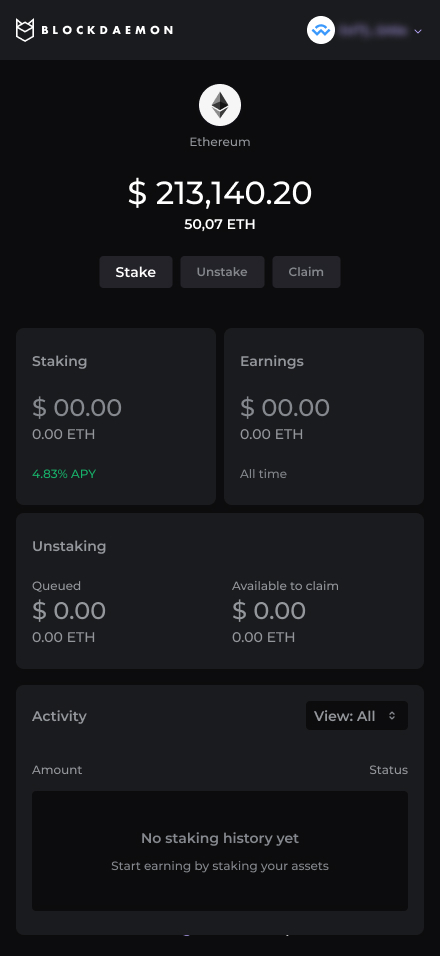
Connect Wallet
User connect a Ethereum wallet with a sufficient ETH balance.
-
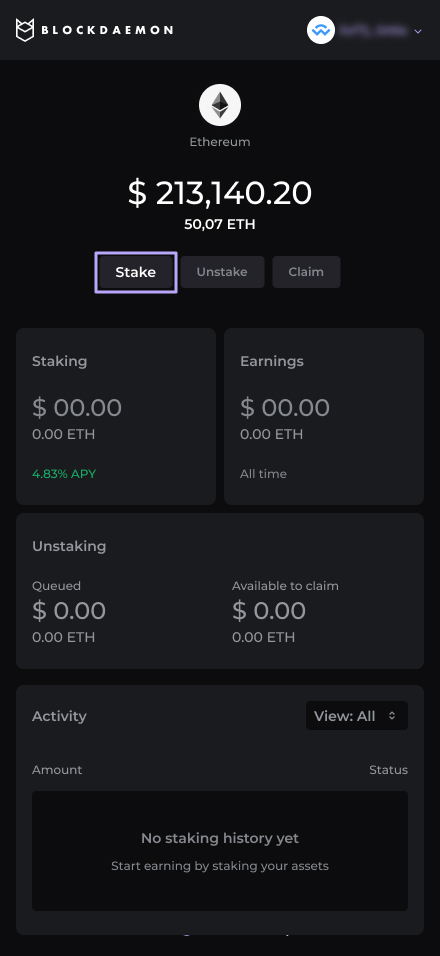
Open Stake
User clicks Stake from the main Ethereum staking card.
-
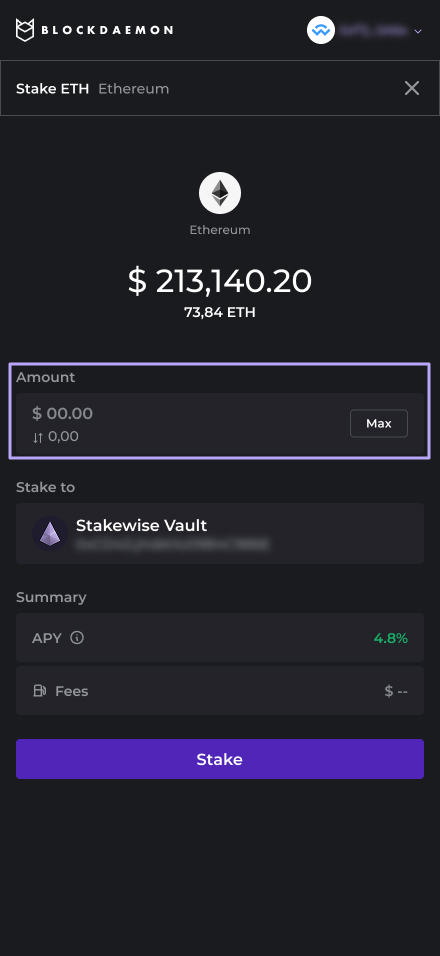
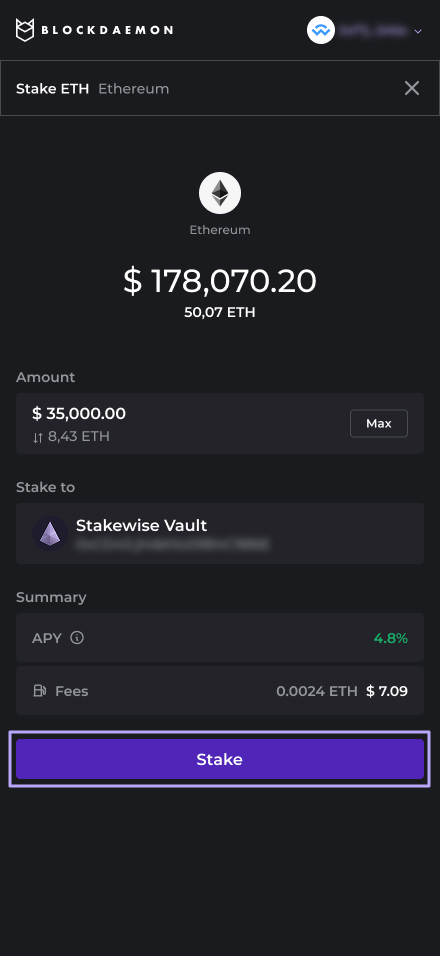
Enter amount
The widget displays the available balance and an amount input.
The user can:
- Manually enter a stake amount, or
- Click Max to use the full available balance.
-
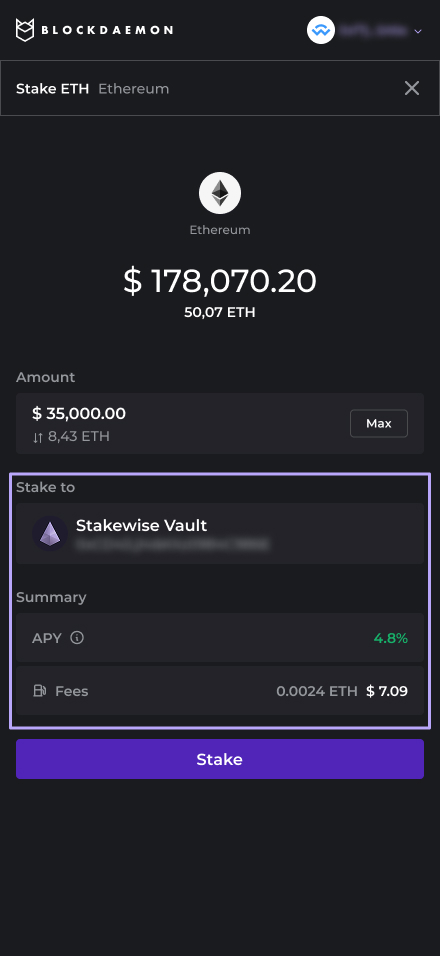
Review staking summary
The customer is staking to an Ethereum vault.
Summary displays:
- APY and estimated rewards over a standard horizon.
- Estimated network fee.
-
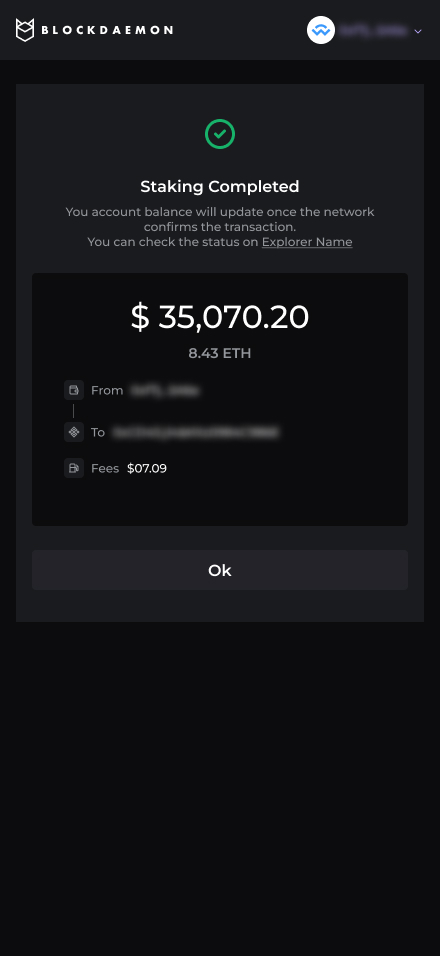
Submit stake transaction
The user clicks Stake.
- The widget triggers the Ethereum transaction flow in the connected wallet.
- The user reviews and approves the transaction in the connected wallet.
-
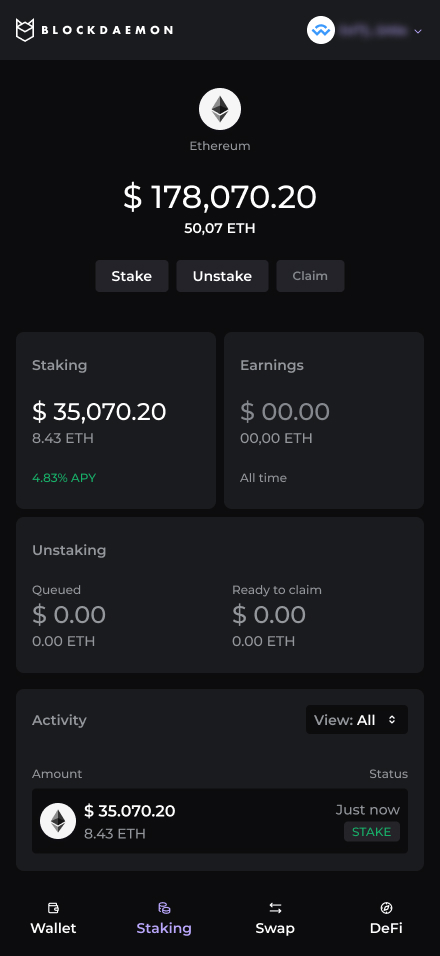
Post-stake state
On success, the user’s Solana overview updates to show:
- Total staked amount (aggregated across stake accounts).
- Staking rewards section (estimated or accrued).
- A list of stake activity, each with:
- Status tag, for example, Stake.
- The balance of the activity.
👋 Need Help?
Contact us through email or our support page for any issues, bugs, or assistance you may need.
Updated 7 months ago