
Solana: Withdraw
Withdraw SOL with Earn Widget
This Withdraw Staking Flow lets users move SOL from a Ready to withdraw stake account back into their original wallet address.
Withdrawing is always step two in the Solana sequence: Stake → Unstake → Withdraw, and is typically fast or near-instant.
High-Level Steps
Follow these steps to withdraw your SOL with the Earn Widget.
- Open the Withdraw screen
- Select account
- Review validator and summary
- Submit withdraw transaction
- Transaction processing
- Post-withdraw state
Detailed step-by-step information is available below.
Step-by-Step Flow
-
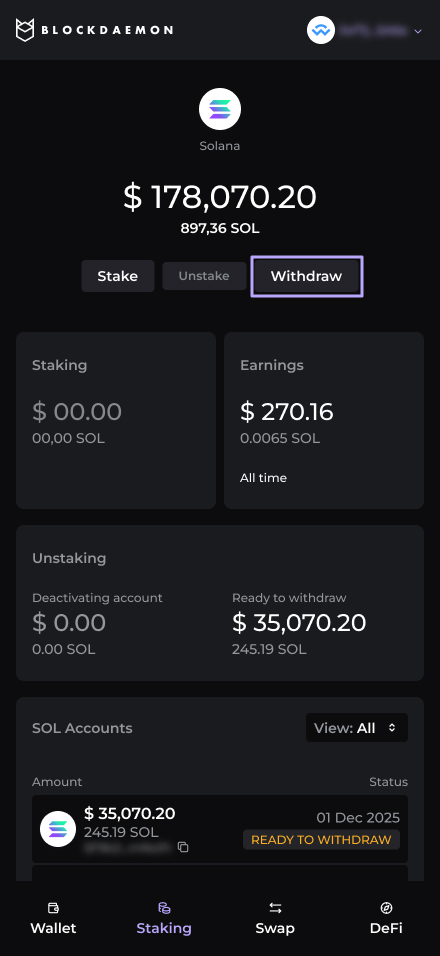
Open Withdraw
The user returns to the widget after their previously unstaked account has finished deactivating.
- The widget shows an account with status Ready to withdraw and an active Withdraw CTA.
-
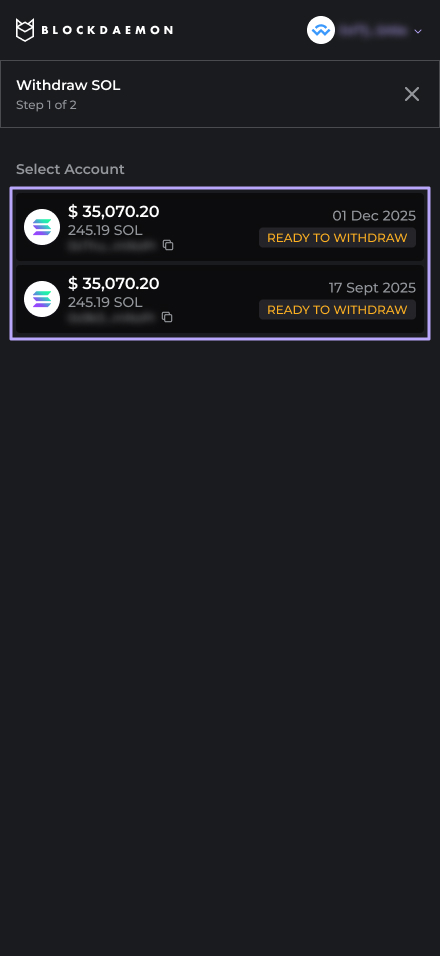
Select account (if multiple eligible accounts)
The user selects one account from the list of Ready to withdraw accounts.
- The current implementation assumes full-withdraw per account (no partial withdraw of a ready account).
-
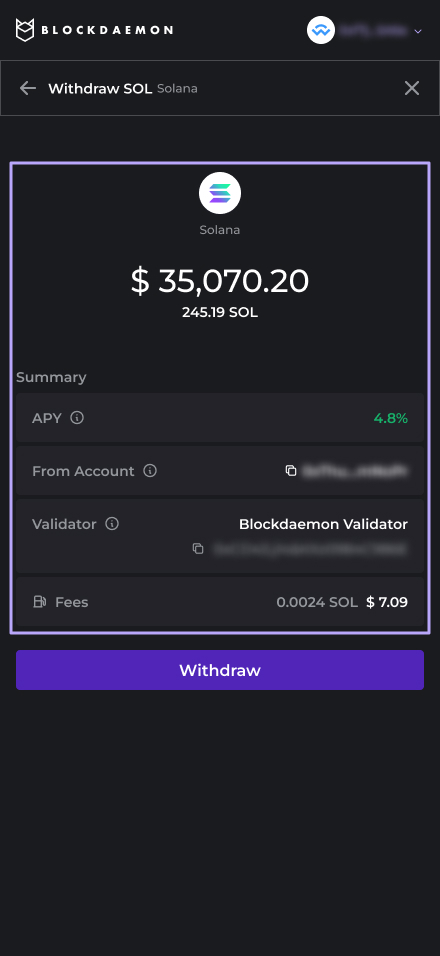
Review validator and summary
Summary displays:
- APY.
- Account.
- Fees.
-
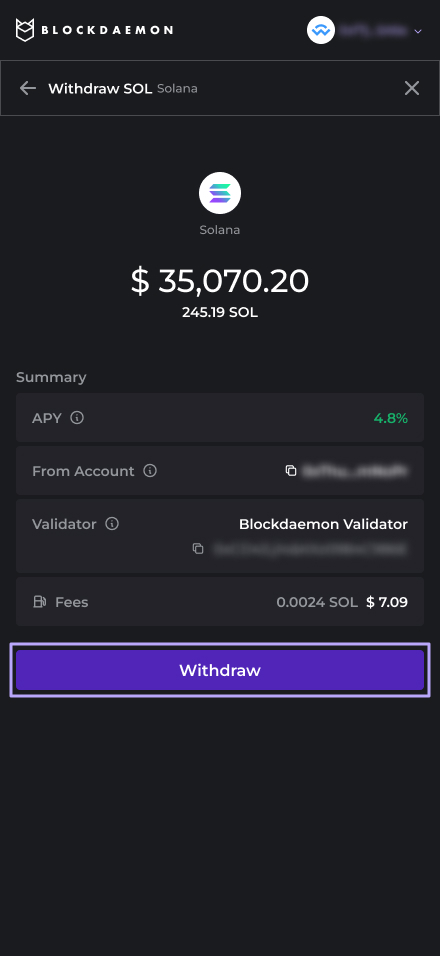
Submit withdraw transaction
The user clicks Withdraw.
- The widget triggers the withdraw transaction in the user’s wallet.
- The user reviews and approves the transaction, paying the network fee.
-
Transaction processing
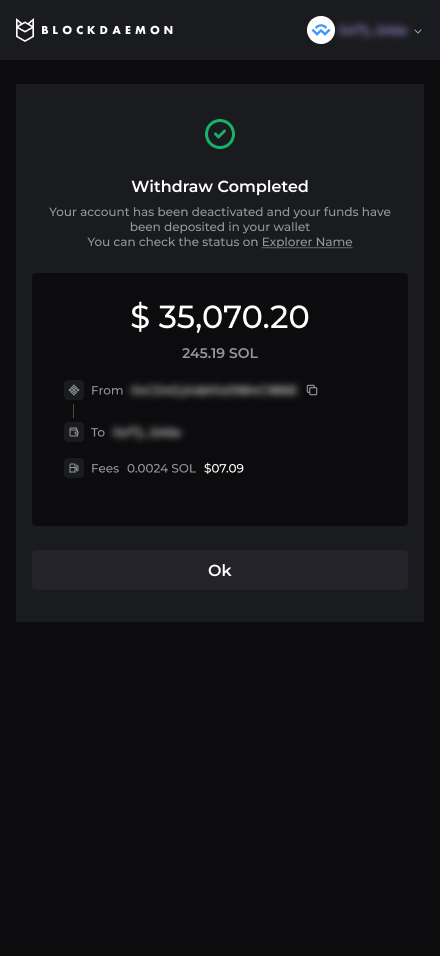
The widget shows a brief processing or pending state while the network finalizes the transaction.
-
Post-withdraw state
The stake account is effectively emptied (and no longer shown as ready to withdraw).
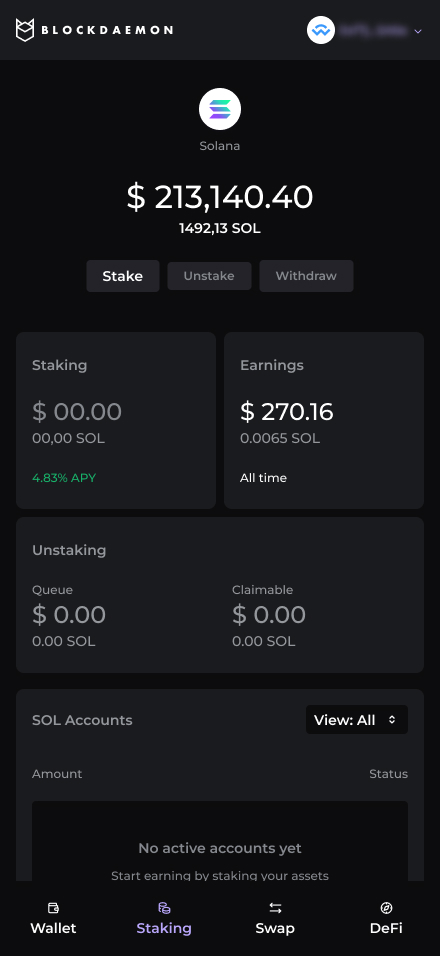
The main widget view updates to show:
- Increased wallet Available balance.
- Reduced or removed amount in “Unstaking / Ready to withdraw” sections.
The user can now:
- Restake using the Stake flow, or
- Use or swap funds as usual directly from their Solana wallet
👋 Need Help?
Contact us through email or our support page for any issues, bugs, or assistance you may need.
Updated 8 months ago