
Ethereum: Unstake
Unstake ETH with the Earn Widget to prepare for claiming
The Ethereum Unstake Flow lets users release staked ETH, rendering the assets eligible for final withdrawal and transfer back to the wallet. Unstaking is always the first step in a two-step sequence: Unstake → Claim.
High-Level Steps
Follow these steps to unstake your ETH with the Earn Widget.
- Open the Unstake screen
- Enter unstake amount
- Submit unstake transaction
- Transaction processing
- Review post-unstake state
Detailed step-by-step information is available below.
Step-by-Step Flow
-
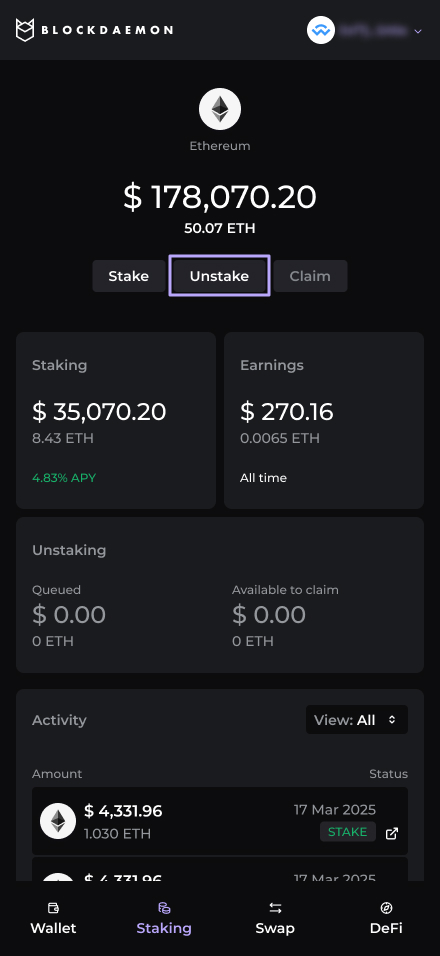
Open Unstake
The user clicks Unstake from the main Ethereum staking card.
-
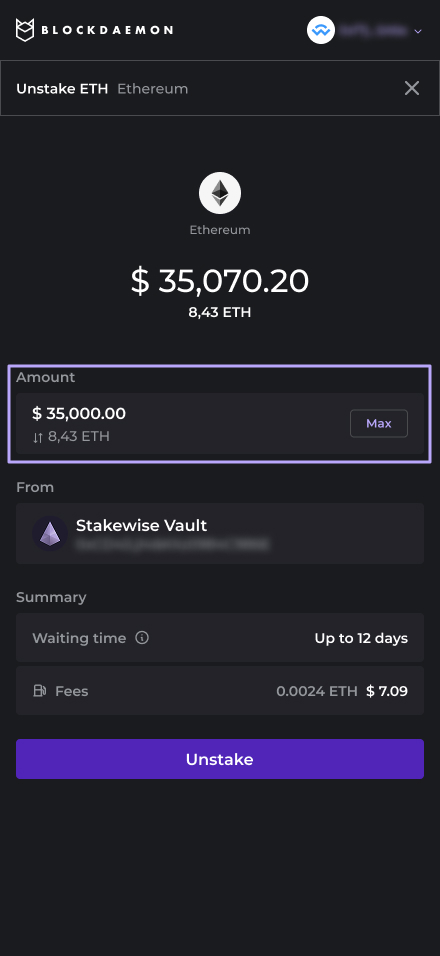
Enter amount
The widget displays the available staking balance and an amount input.
The user can:
- Manually enter the unstake amount, or
- Click Max to use the full available balance.
-
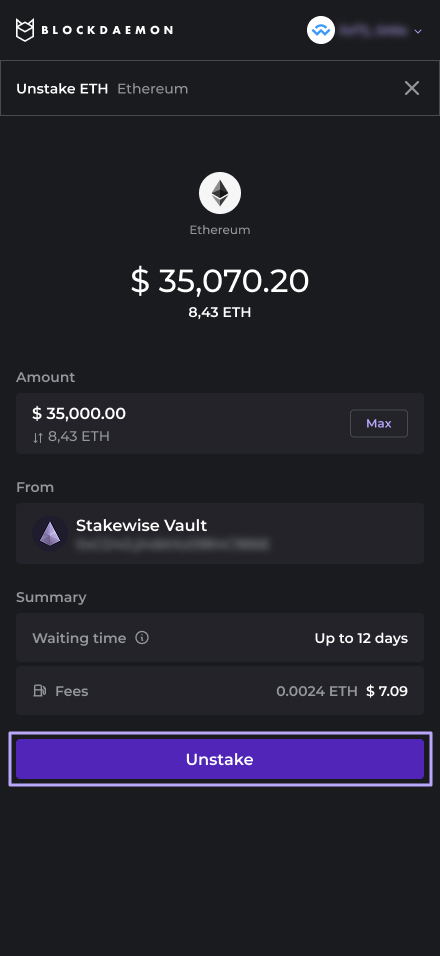
Submit unstake transaction
The user clicks Unstake.
- The widget triggers an unstake transaction in the connected wallet.
- The user approves the transaction, incurring network fees.
-
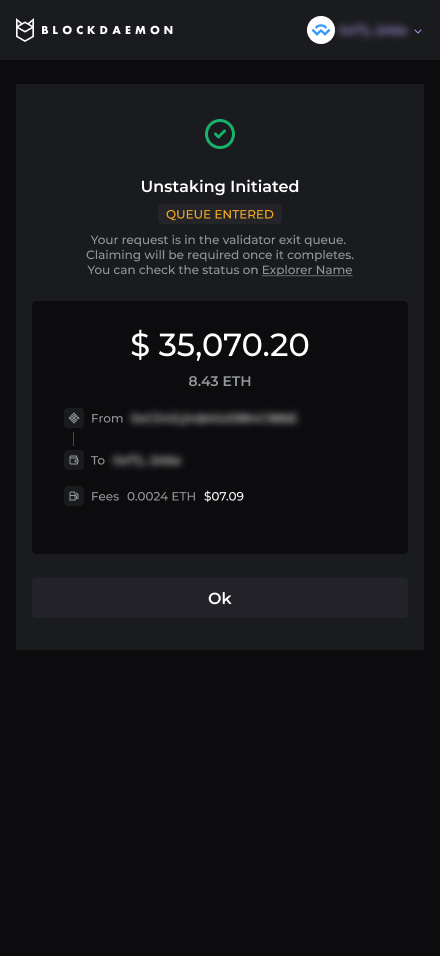
Transaction processing
On success, the selected stake account transitions to a Queued state in the widget.
-
Post-unstake view
The main staking view now shows:
- Updated totals (staked vs. queued/ready-to-claim).
- A dedicated card lists the amount of ETH currently "Queued".
Note
This figure will programmatically transition to the "Ready to claim" column within the same card once the process completes.
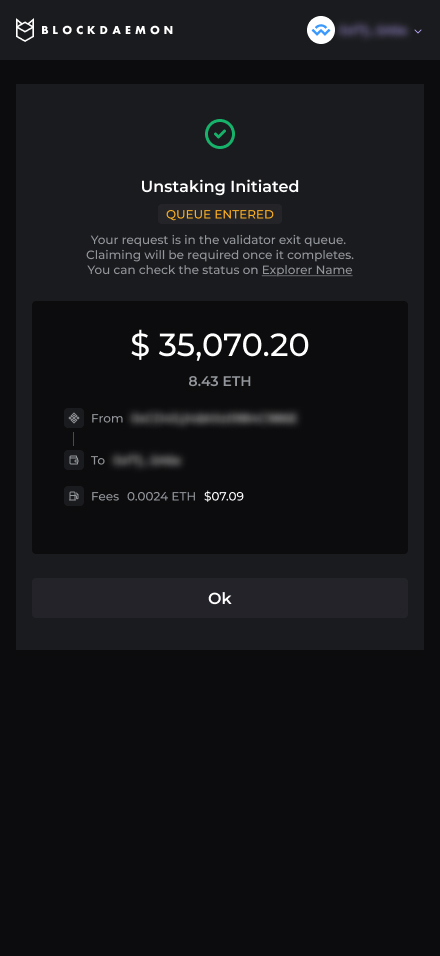
When queueing completes, the account status changes from Queued to Ready to claim, and the widget enables the Claim CTA.
👋 Need Help?
Contact us through email or our support page for any issues, bugs, or assistance you may need.
Updated 8 months ago