
Solana: Unstake
Unstake SOL with the Earn Widget to prepare for withdrawal
This Solana Unstaking Flow lets users deactivate a specific Solana stake account so that the staked SOL can later be withdrawn back to the wallet.
Unstaking is always the first step in a two-step sequence: Unstake → Withdraw, and it typically takes several days for deactivation to complete.
Unstaking is performed per account, not by arbitrary partial amounts across accounts.
High-Level Steps
Follow these steps to unstake your SOL with the Earn Widget.
- Open the Unstake screen
- Check staking context
- Select stake account
- Review deactivation details
- Submit unstake transaction
- Transaction processing / deactivating state
- Post-unstake state
Detailed step-by-step information is available below
Step-by-Step Flow
-
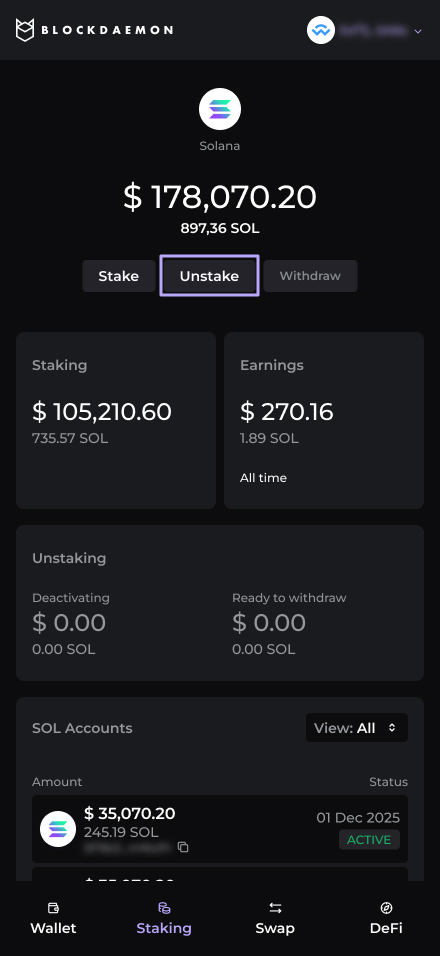
Open Unstake
The user clicks Unstake from the main Solana staking card.
-
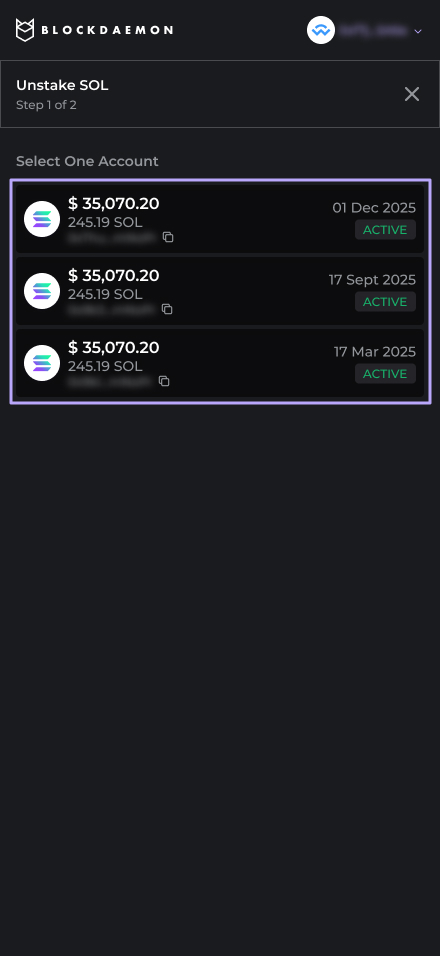
Check staking context
The widget shows:
- Total staked SOL.
- List of stake accounts that contribute to this total.
-
Select stake account
The user selects one Active stake account from the list.
-
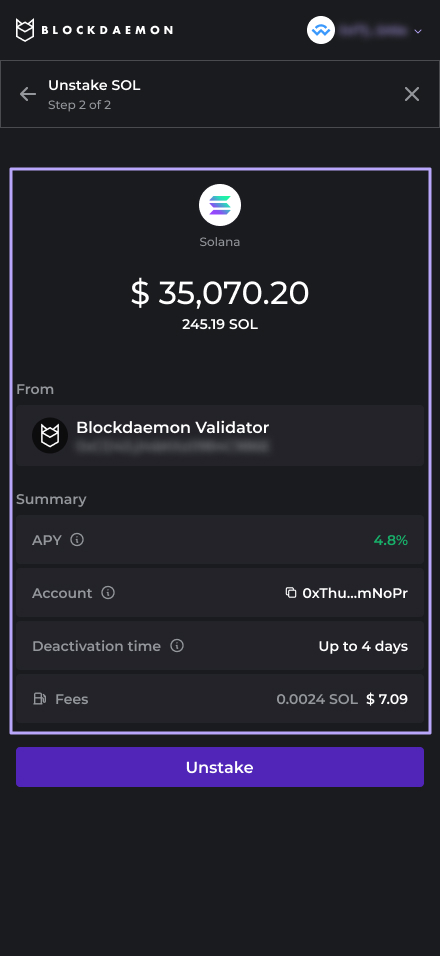
Review deactivation details
The UI displays:
- Selected account address and amount.
- Deactivation time frame (for example, “Up to 4 days”).
-
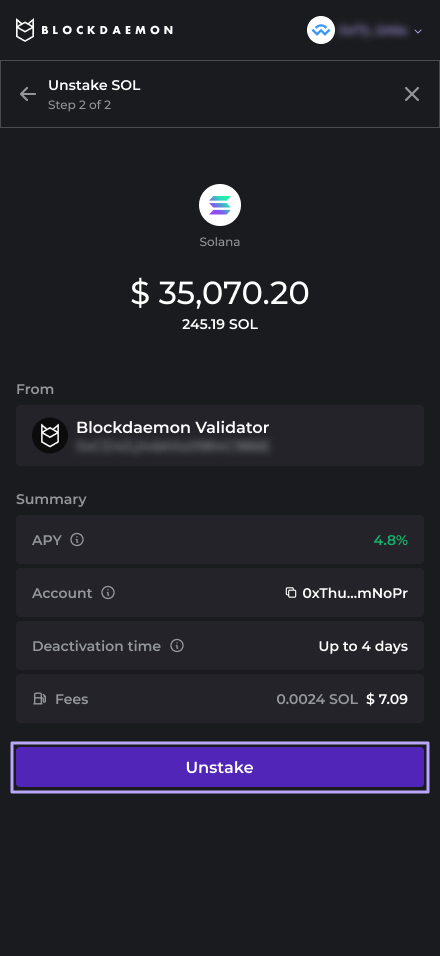
Submit unstake transaction
The user clicks Unstake.
- The widget triggers an unstake transaction in the connected wallet.
- The user approves the transaction, incurring network fees.
-
Transaction processing / deactivating state
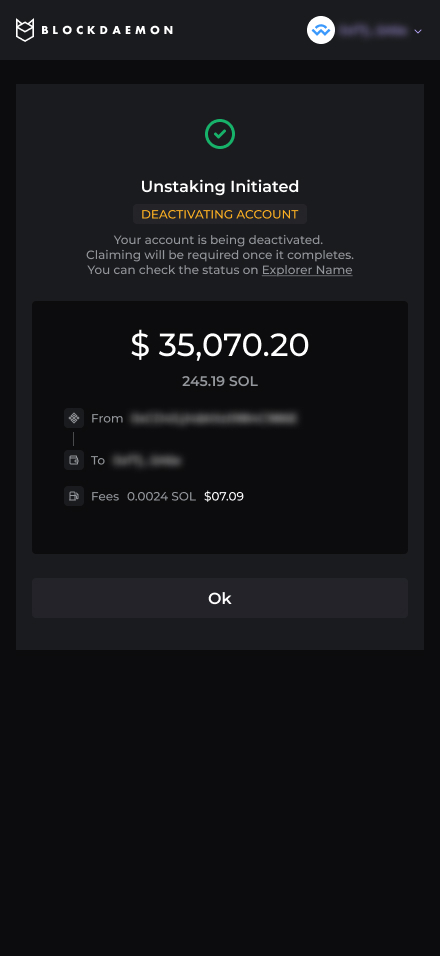
On success, the selected stake account transitions to a Deactivating state in the widget.
The UI may display:
- A “Deactivating – up to X days” label.
- A link to view the transaction or account in a block explorer.
-
Post-unstake view
The main staking view now shows:
- Updated totals (staked vs. deactivating/ready-to-withdraw).
- Unstaking Section: A dedicated card lists the amount of SOL currently "Deactivating".
Note: This figure will programmatically transition to the "Ready to Withdraw" column within the same card once the process completes.
- Accounts List: The specific account entry will now feature a "Deactivating" status badge for immediate clarity.
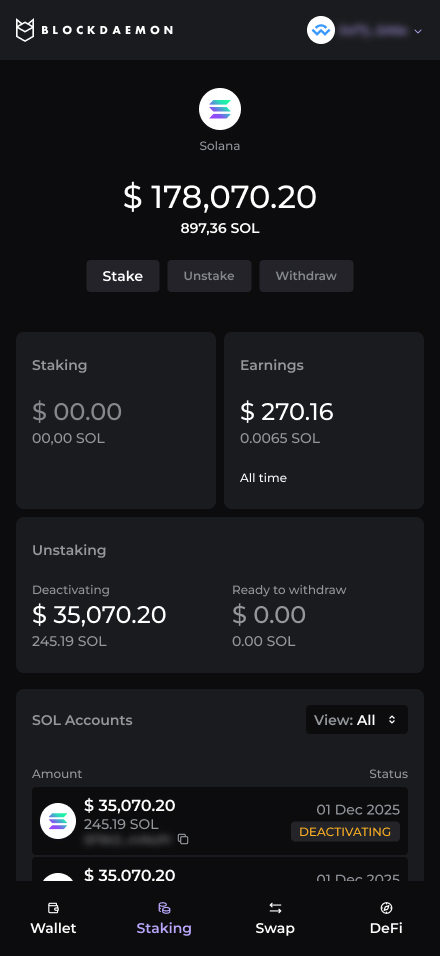
When deactivation completes, the account status changes from Deactivating to Ready to withdraw, and the widget enables the Withdraw CTA for that account.
👋 Need Help?
Contact us through email or our support page for any issues, bugs, or assistance you may need.
Updated 8 months ago