
How to Manage Validators
Blockdaemon's validator tools help you manage your Ethereum validators effectively post-Pectra. You can convert, consolidate, top up, withdraw, and exit your validators directly from the dashboard.
PrerequisiteConnect your wallet to display your validators in Compounding and Non-Compounding tables.
Read more:
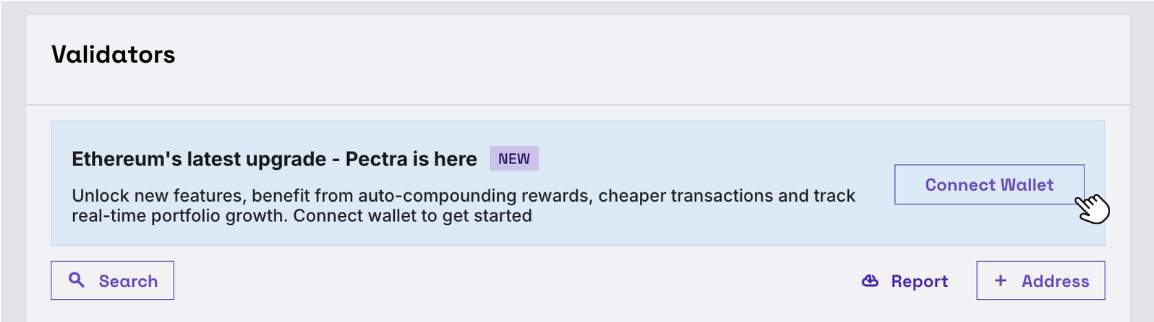
Convert Validators
Convert a non-compounding validator (0x01) into a compounding one (0x02) to unlock advanced features like top-up and consolidation.
NoteConversion is one validator at a time and cannot be reversed.
- From the Non-Compounding table, select Manage Validators and click Convert.
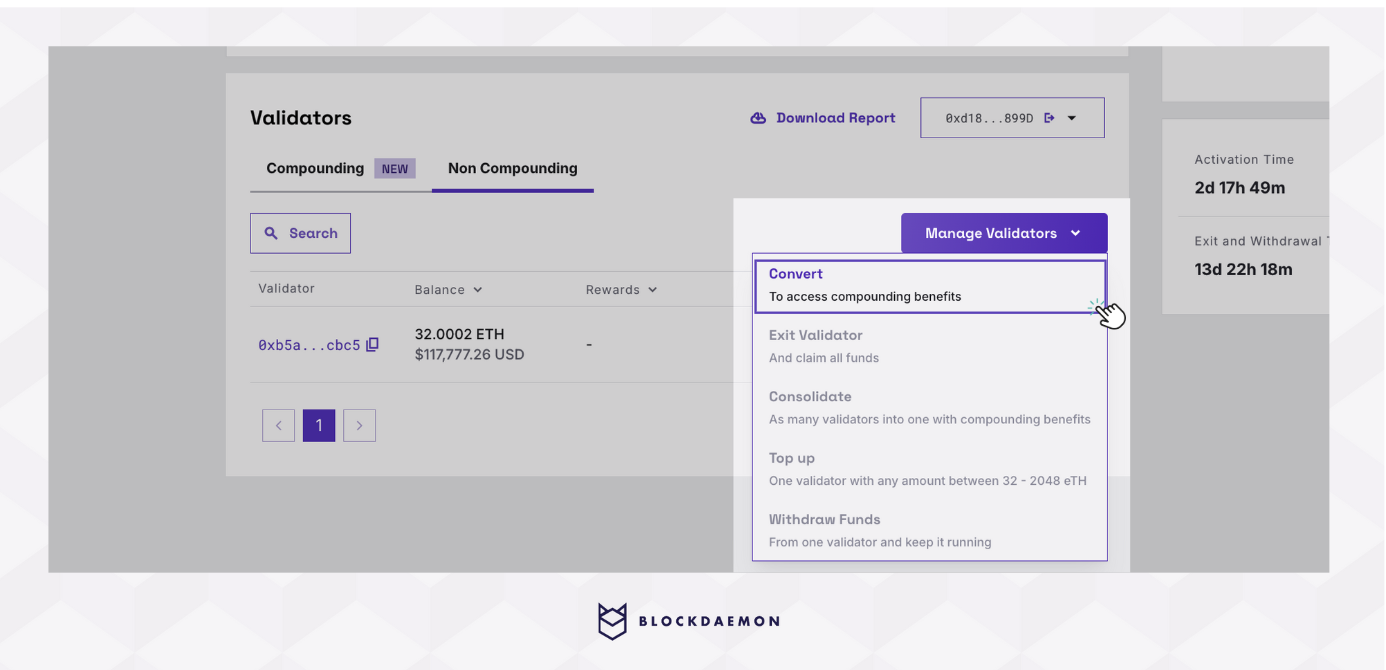
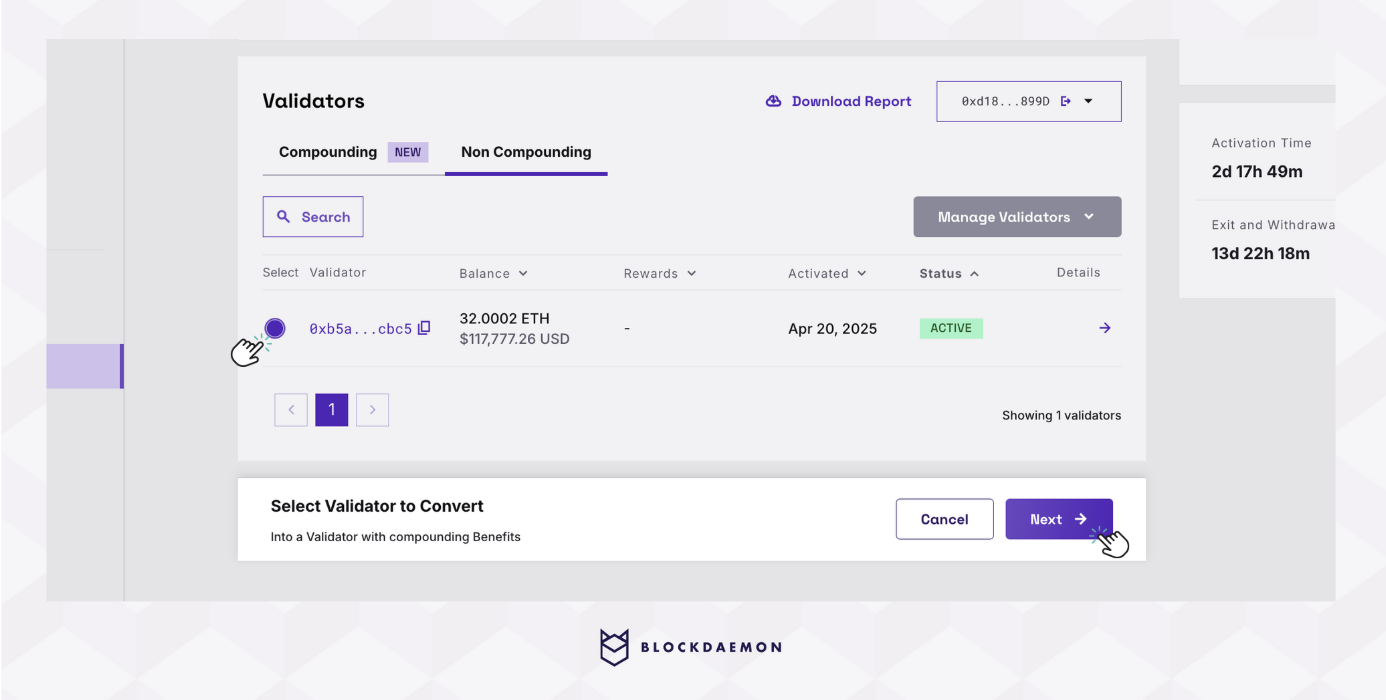
- Validators shown are only active ones. Choose the validator you want to convert.
- Review the validator details and check the estimated conversion fees. Confirm by selecting Sign Transaction.
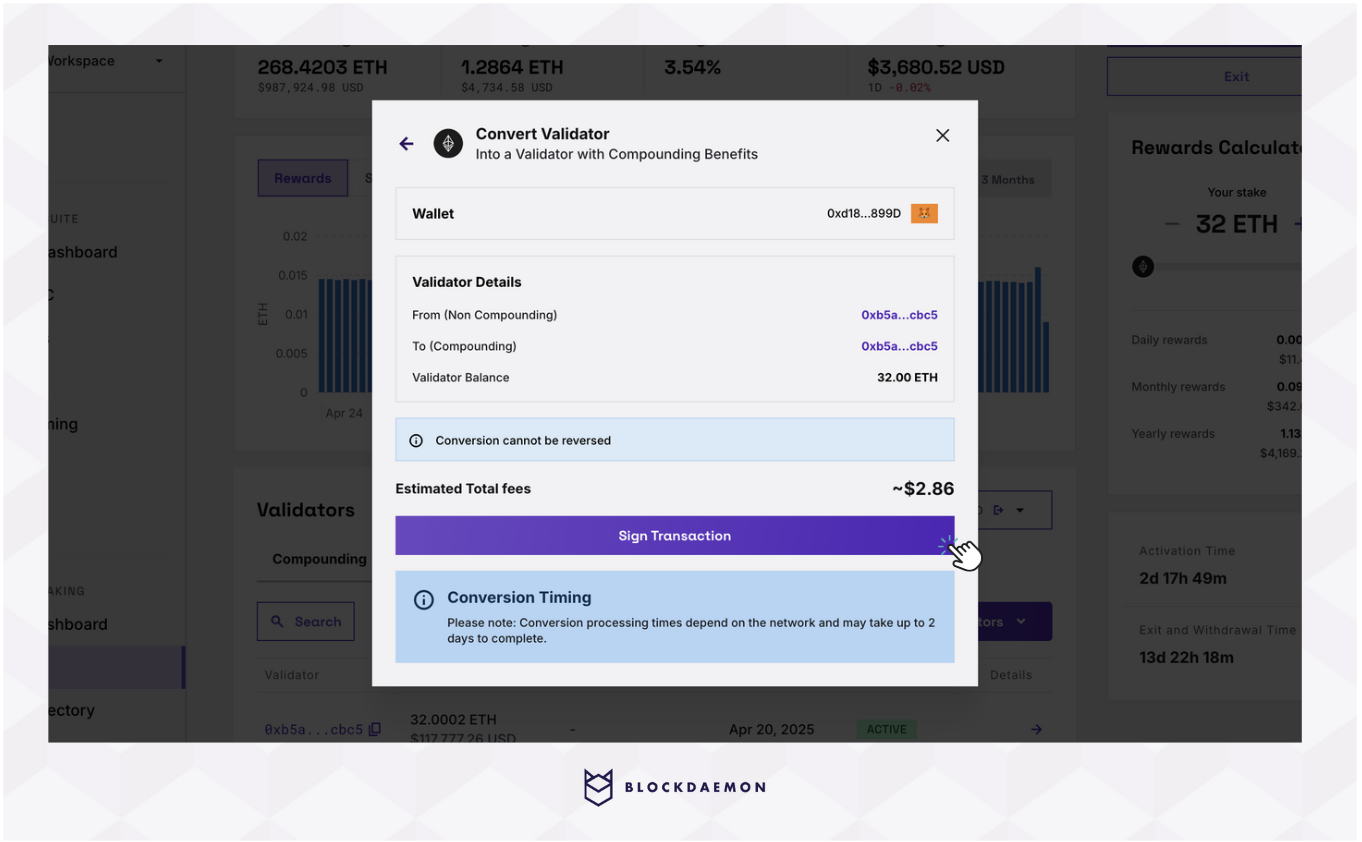
- Sign the transaction in your wallet to start the conversion process.
- Wait for the conversion to complete. The validator will appear in the Compounding table with a Converting status. Processing times depend on the network and may take up to 2 days.
Consolidate Validators
Merge one validator's balance into another compounding validator for simpler management and optimized rewards.
Note
- Only compounding (
0x02) validators can be consolidated.- The combined balance after consolidation must be ≤ 2048 ETH to comply with Ethereum’s validator limits.
- Consolidation is currently 1:1. If you consolidate multiple validators into one, you must sign each transaction separately (e.g., 3 to 1 requires 3 signatures).
- From the Compounding table, select Manage Validators and click Consolidate.
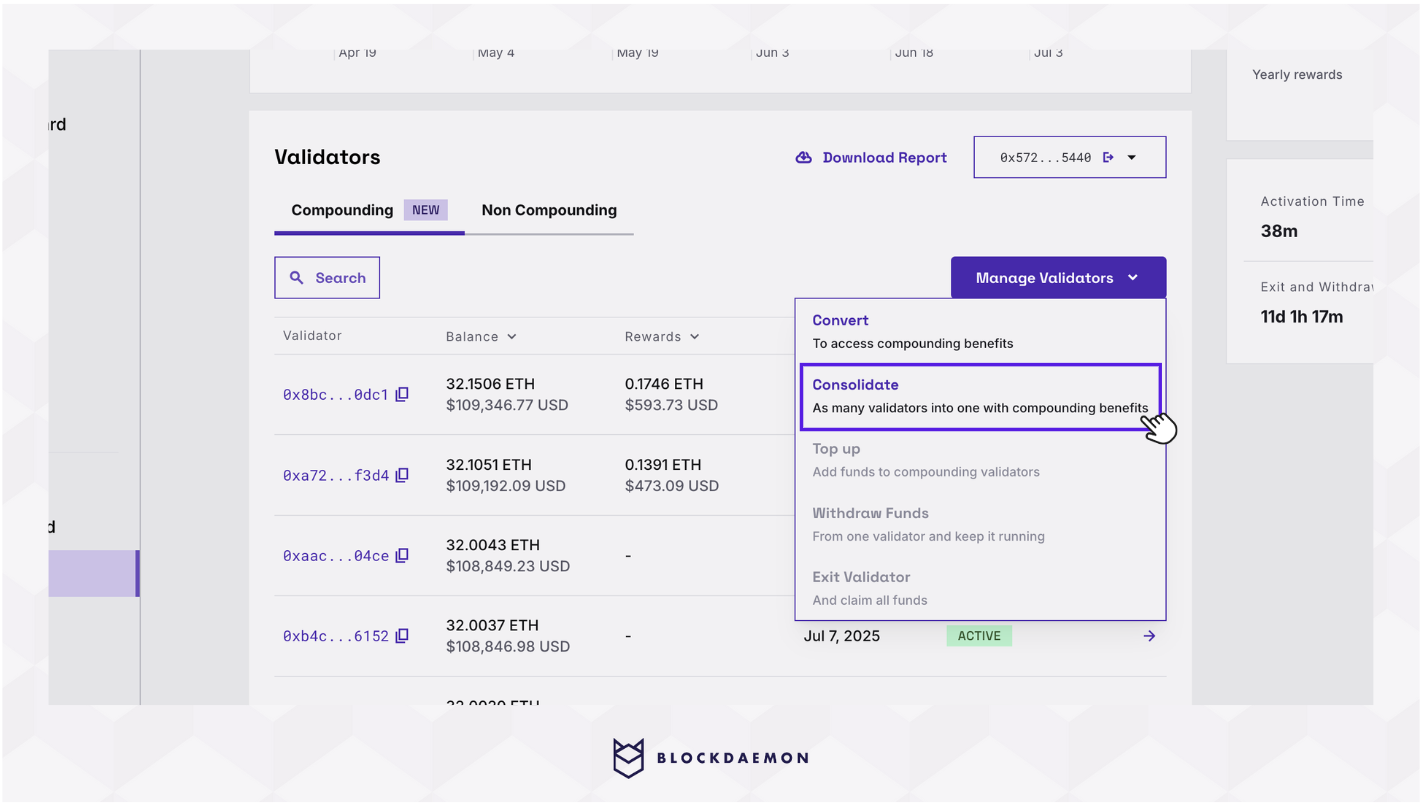
- Select a source validator to consolidate.
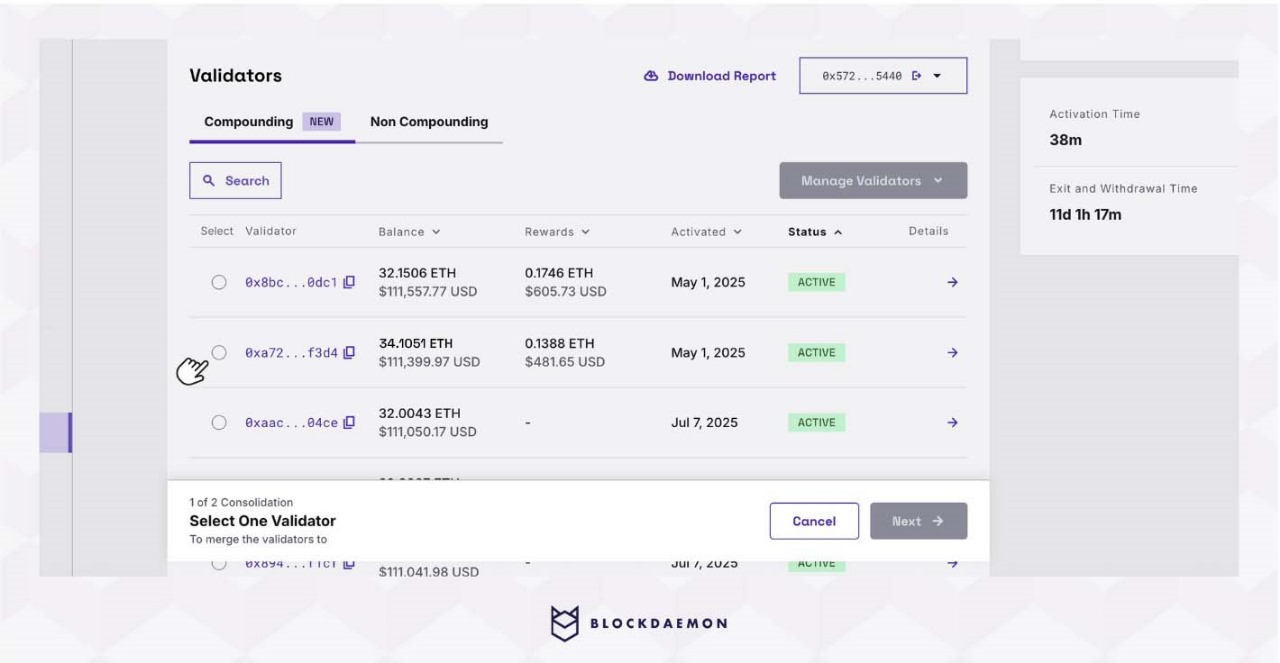
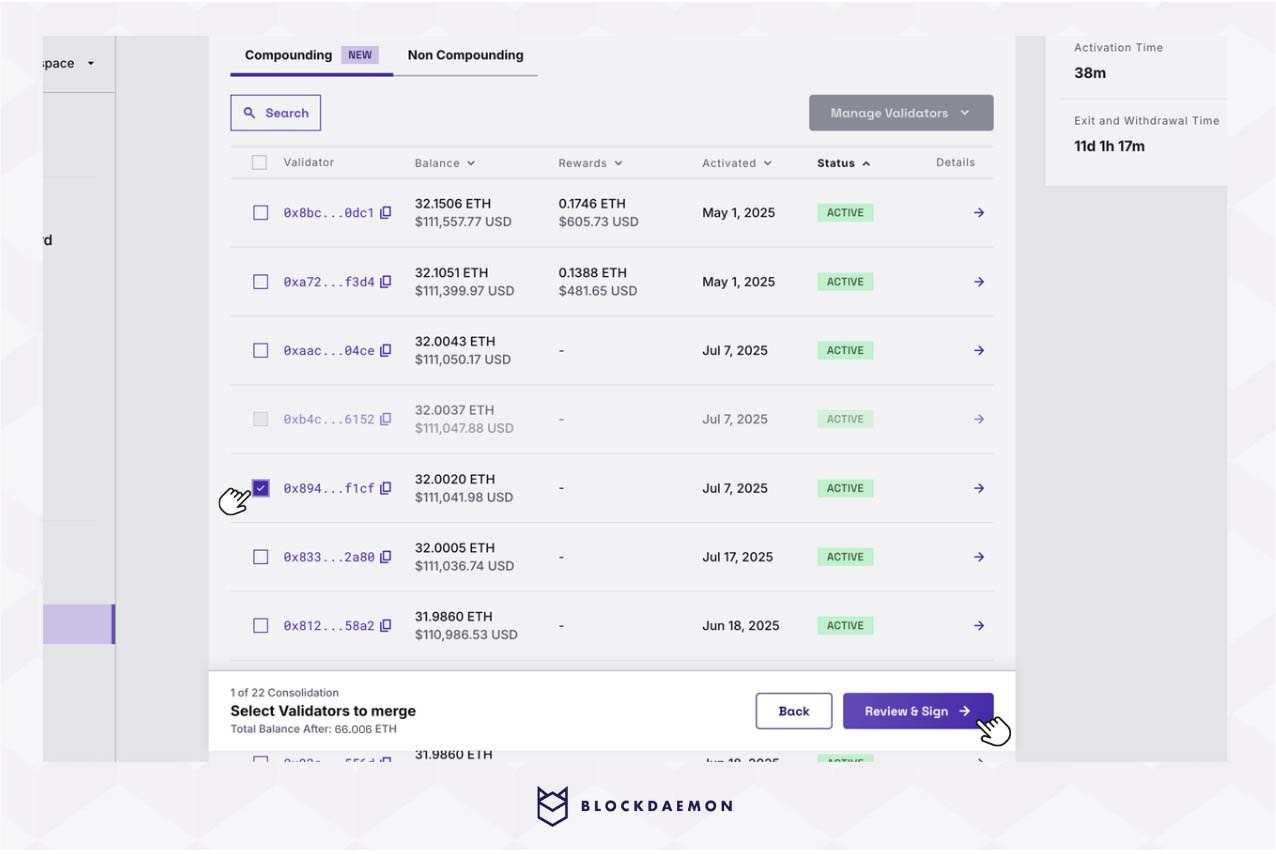
- Select a target validator and continue to the Review page. You’ll see the estimated total balance after consolidation.
- Review the consolidation details and click Sign Transaction.
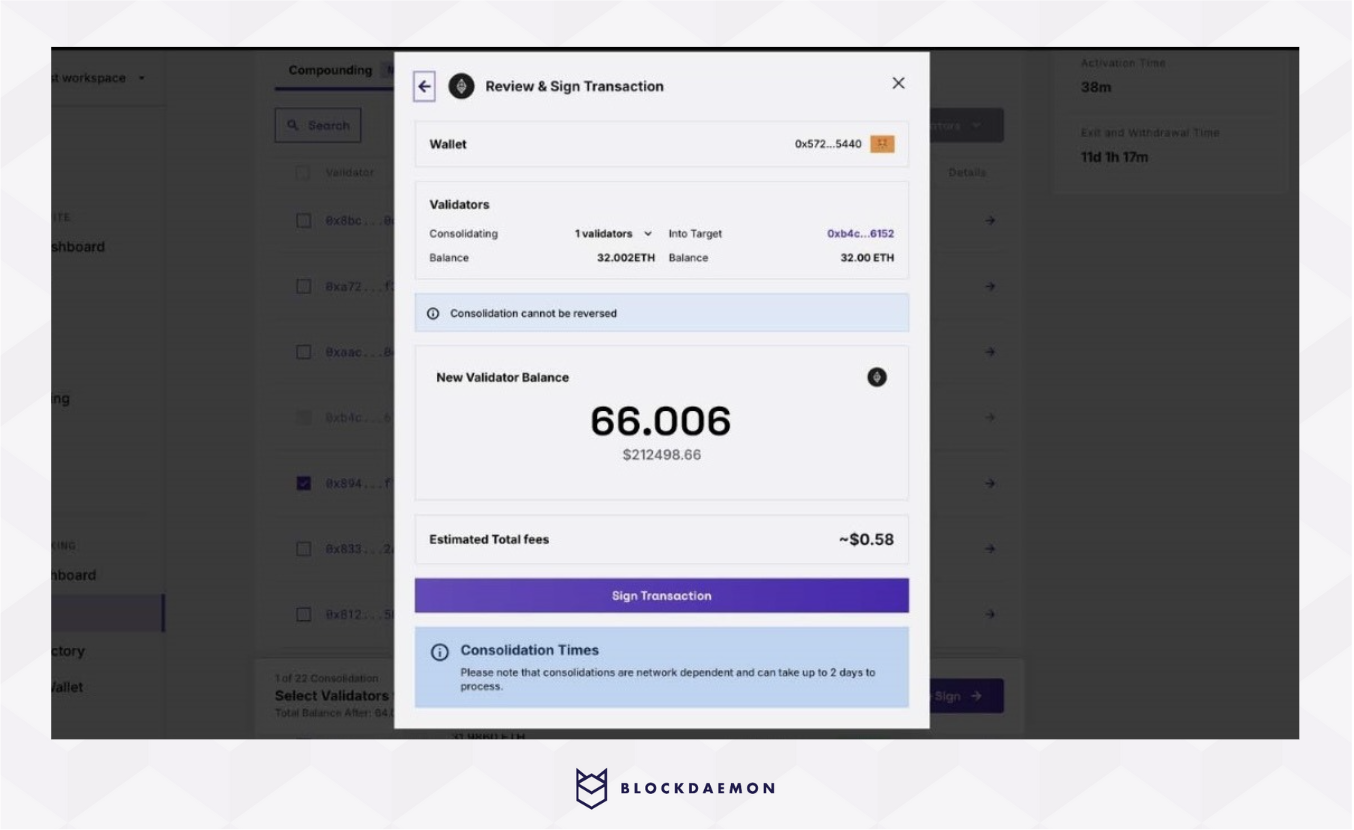
- Sign the consolidation transaction in your wallet.
- Once submitted, the consolidation request is processed.
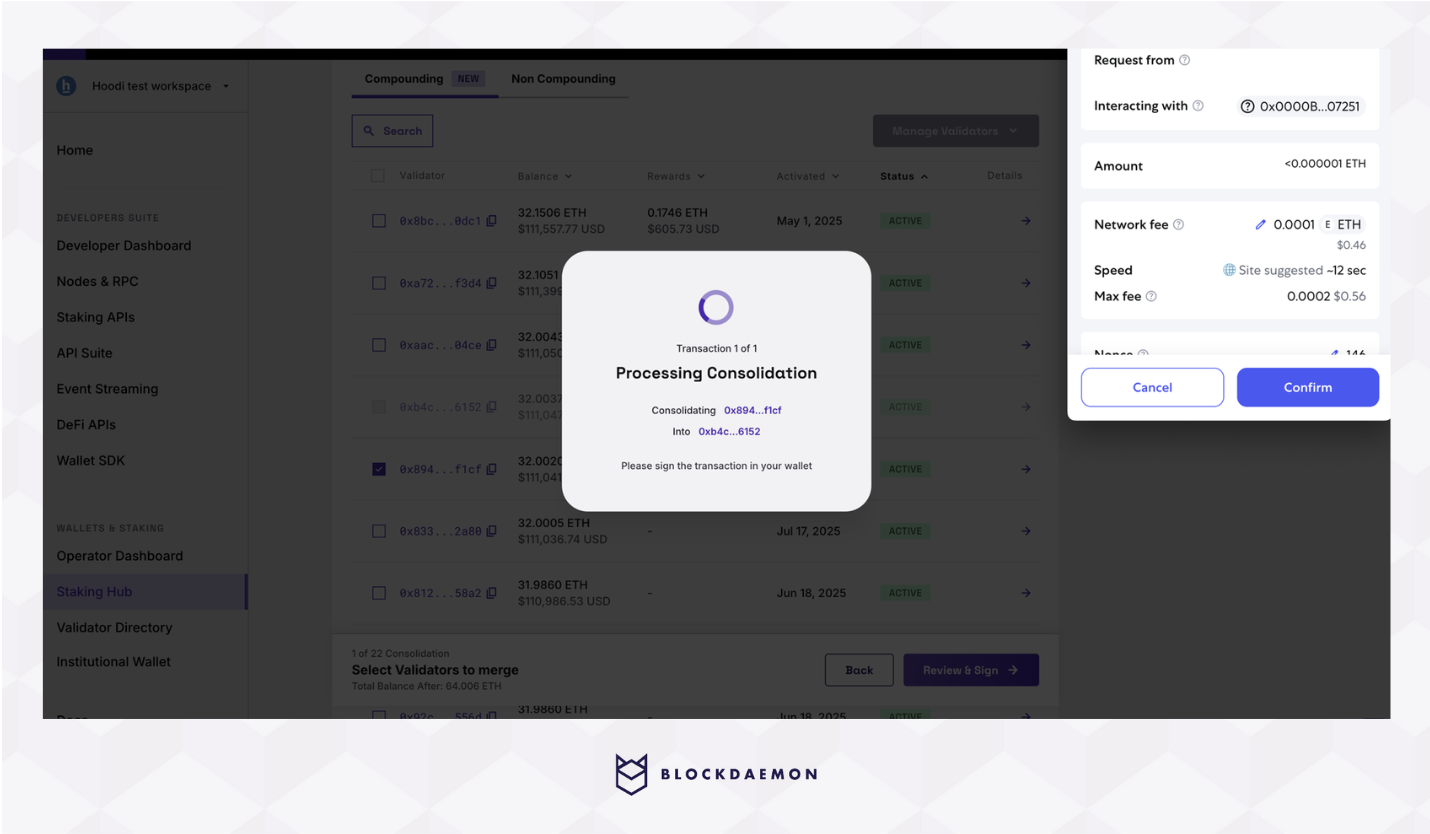
- When the signature is confirmed on-chain, the source validator will show a Consolidating status in the table, indicating that the merge is underway.
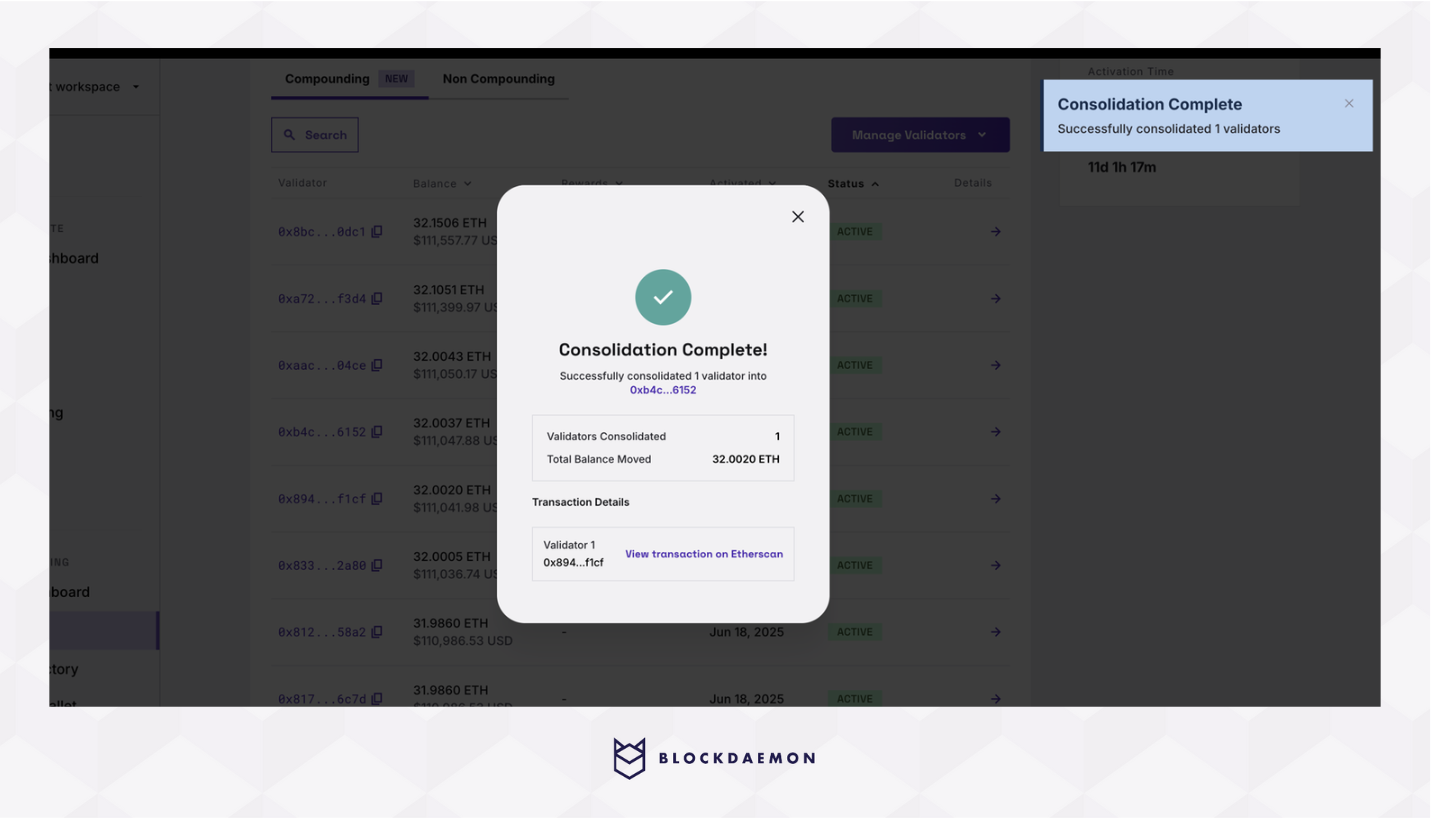
- When consolidation is fully processed, the source validator will be removed from the table, and the target validator’s balance will reflect the merged amount
Top Up
Note
- The Top Up feature is available only for compounding (
0x02) validators.- The minimum top-up amount is 1 ETH.
Add more ETH to a compounding validator to improve performance and maximize staking rewards.
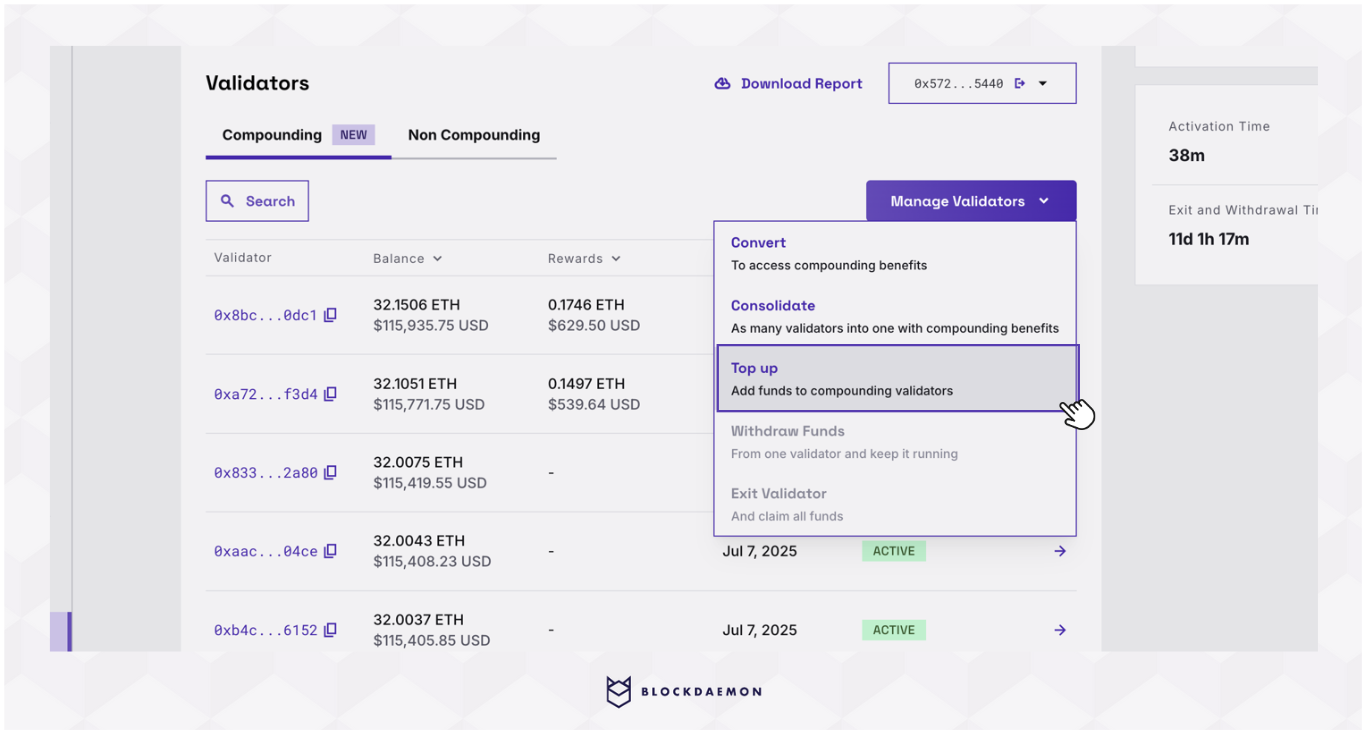
- From the Compounding table, select Manage Validators and click Top Up.
- Choose the validator you want to top up.
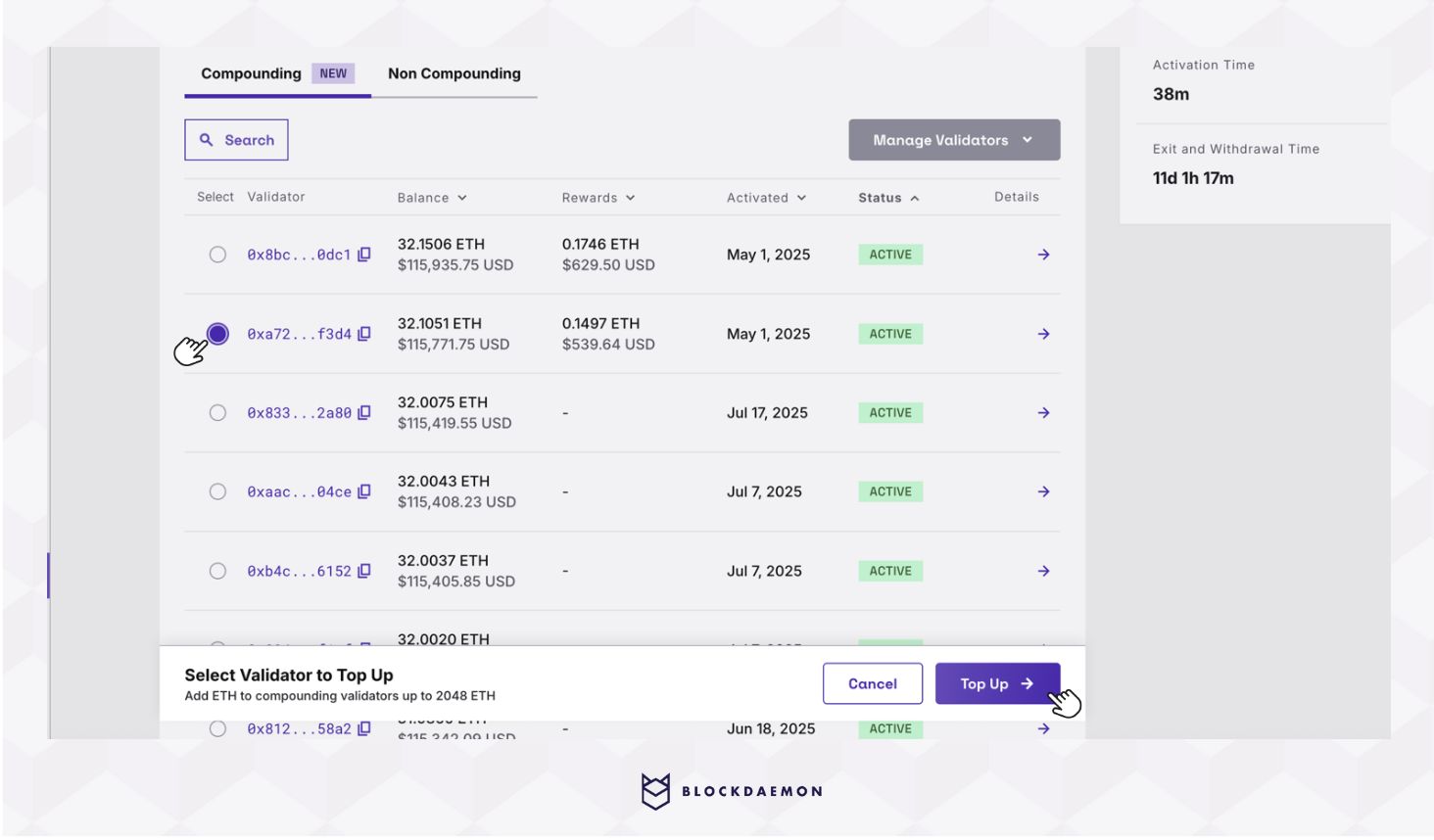
- Enter the top-up amount.
- Review the transaction details and select "Top Up".
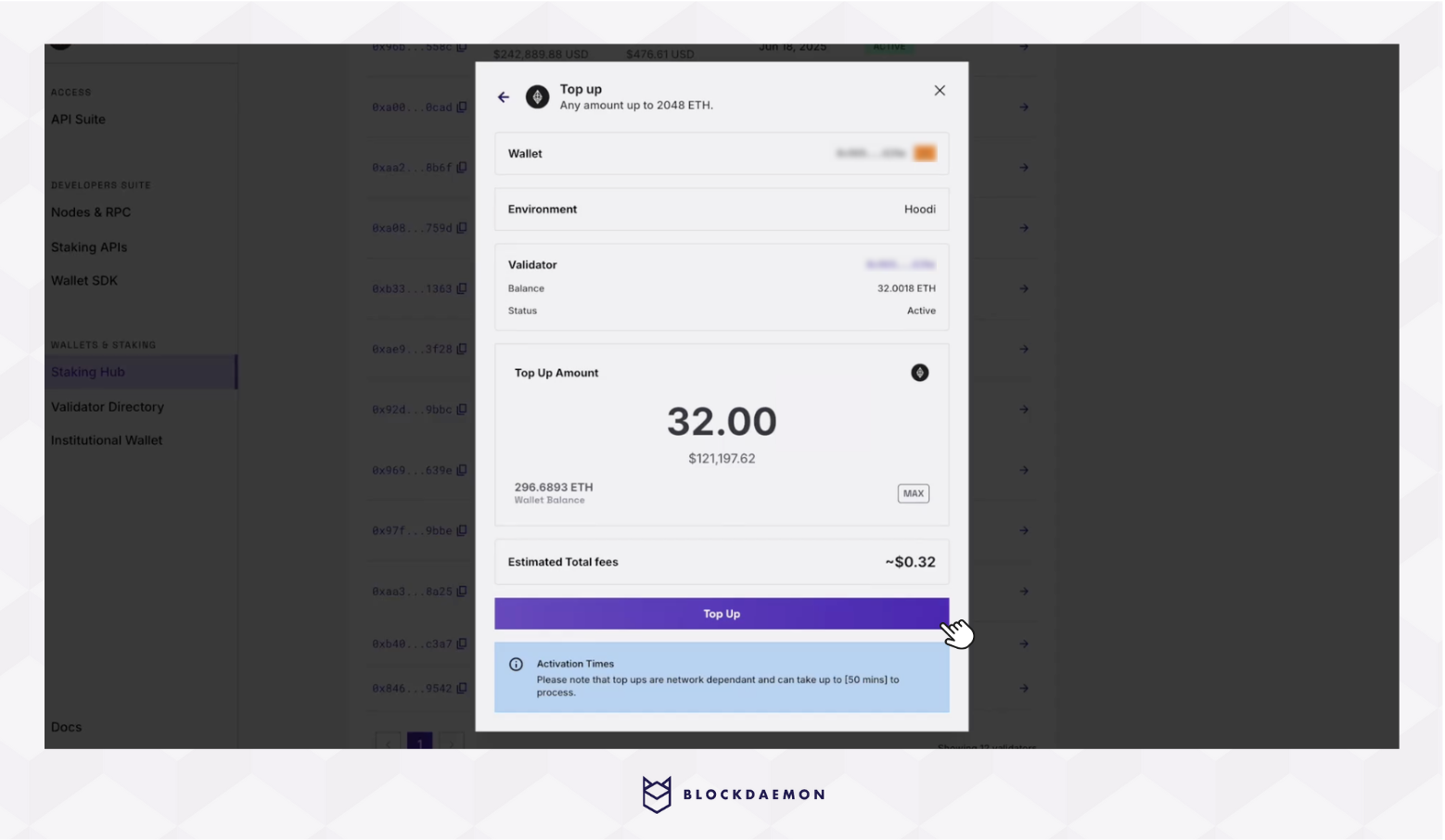
- Sign the transaction in your wallet and wait for confirmation. Please note that the activation depends on Ethereum’s validator activation queue, which affects the top-up.
- After confirmation, the validator’s balance will be updated accordingly.
Withdraw Funds
Withdraw available rewards or balance above 32 ETH of compounding validators.
Note
- You cannot make a partial withdrawal from non-compounding (
0x01) validators.- You can partially withdraw from compounding (
0x02) validators, as long as the validator’s remaining balance after withdrawal stays at or above 32 ETH.
- From the Compounding table, select Manage Validators and click Withdraw Funds.
- Select a validator with available rewards.
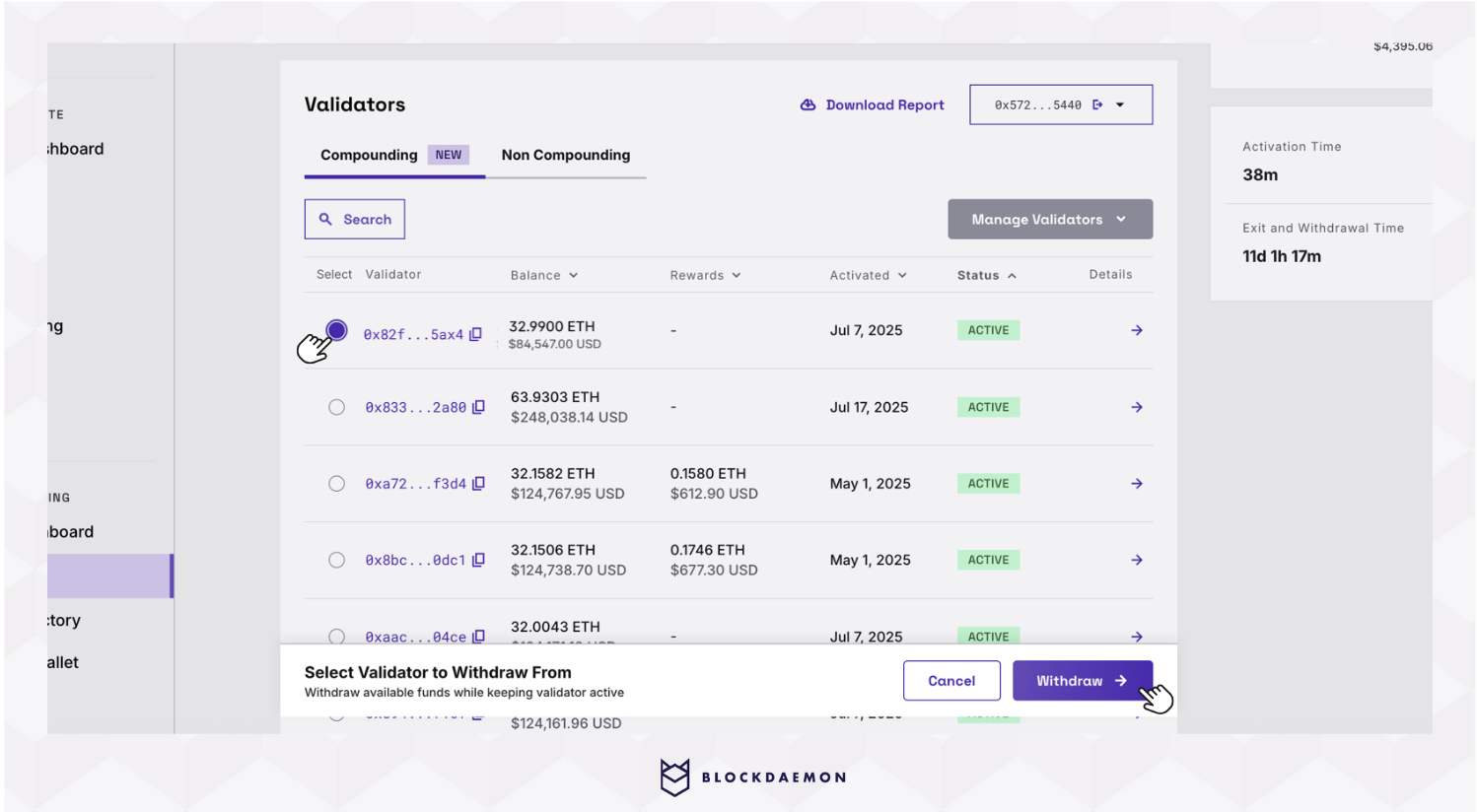
- Enter the amount you want to partially withdraw. Make sure the amount leaves the validator with at least 32 ETH remaining after withdrawal.
- Review and continue to withdraw.
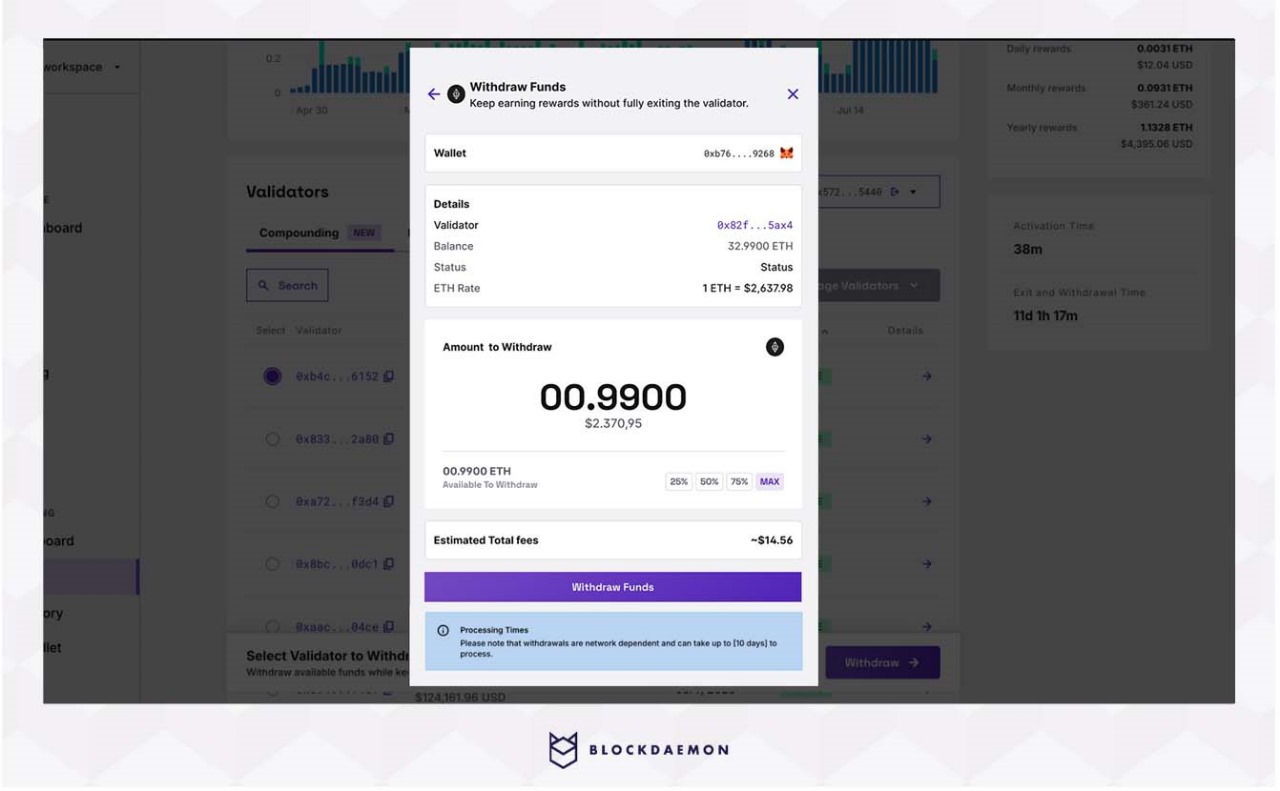
- Confirm the transaction in your wallet to complete the process. Please note that it might take some time based on the queue.
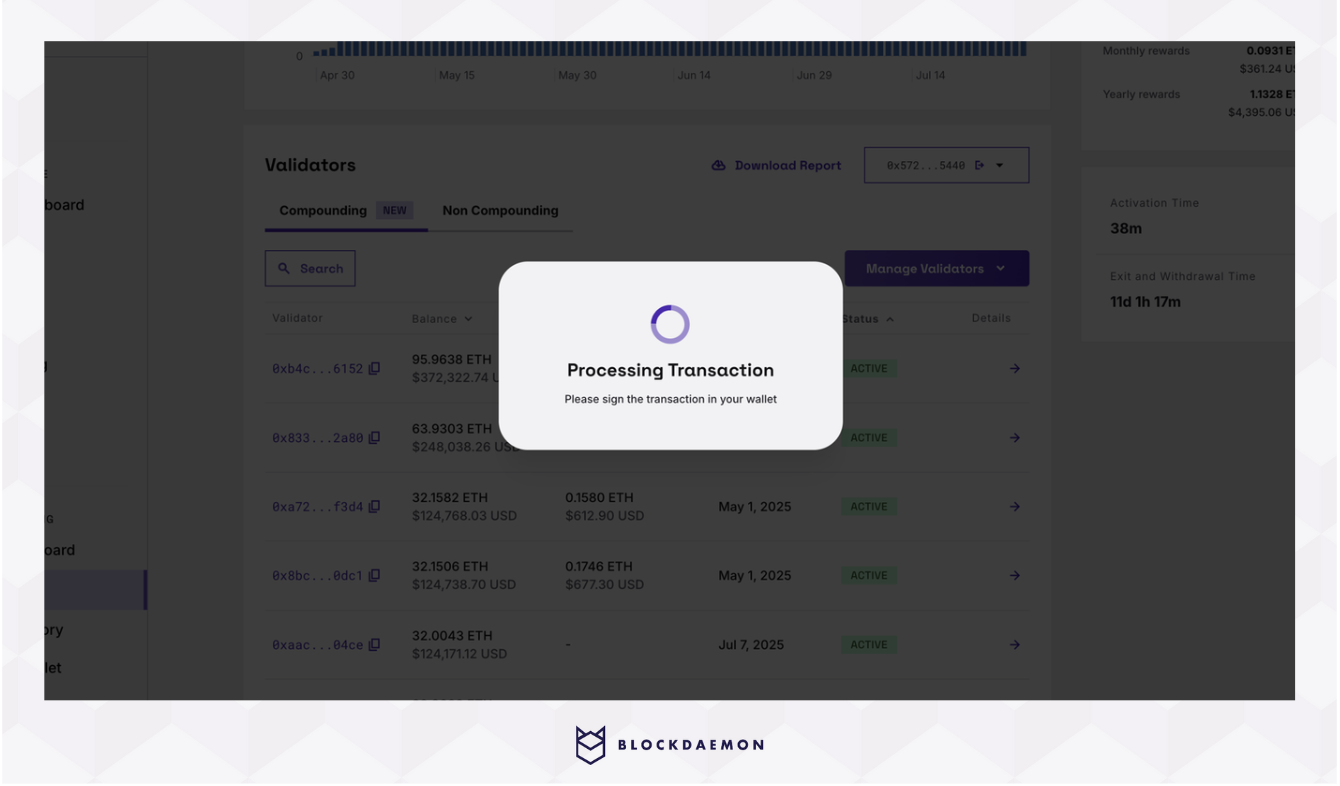
- Once the withdrawal is processed on-chain, your rewards will be reflected in your wallet.
Exit Validator (Full Withdrawal)
Full exit functionality is currently in development and will be released in an upcoming update.
👋 Need Help?
Contact us through email or our support page for any issues, bugs, or assistance you may need.
Updated 5 months ago